Parent Portal
Using ClassGo as a Parent
Parents can view schedules and pay bills via the WeChat mini program or the web portal.
Logging in
Mini program: search your studio's mini program and log in with WeChat. A parent account must be created first by the studio (invite or manual).
Web: log in with email + password (provided by the studio; change it after first login).
Viewing the schedule
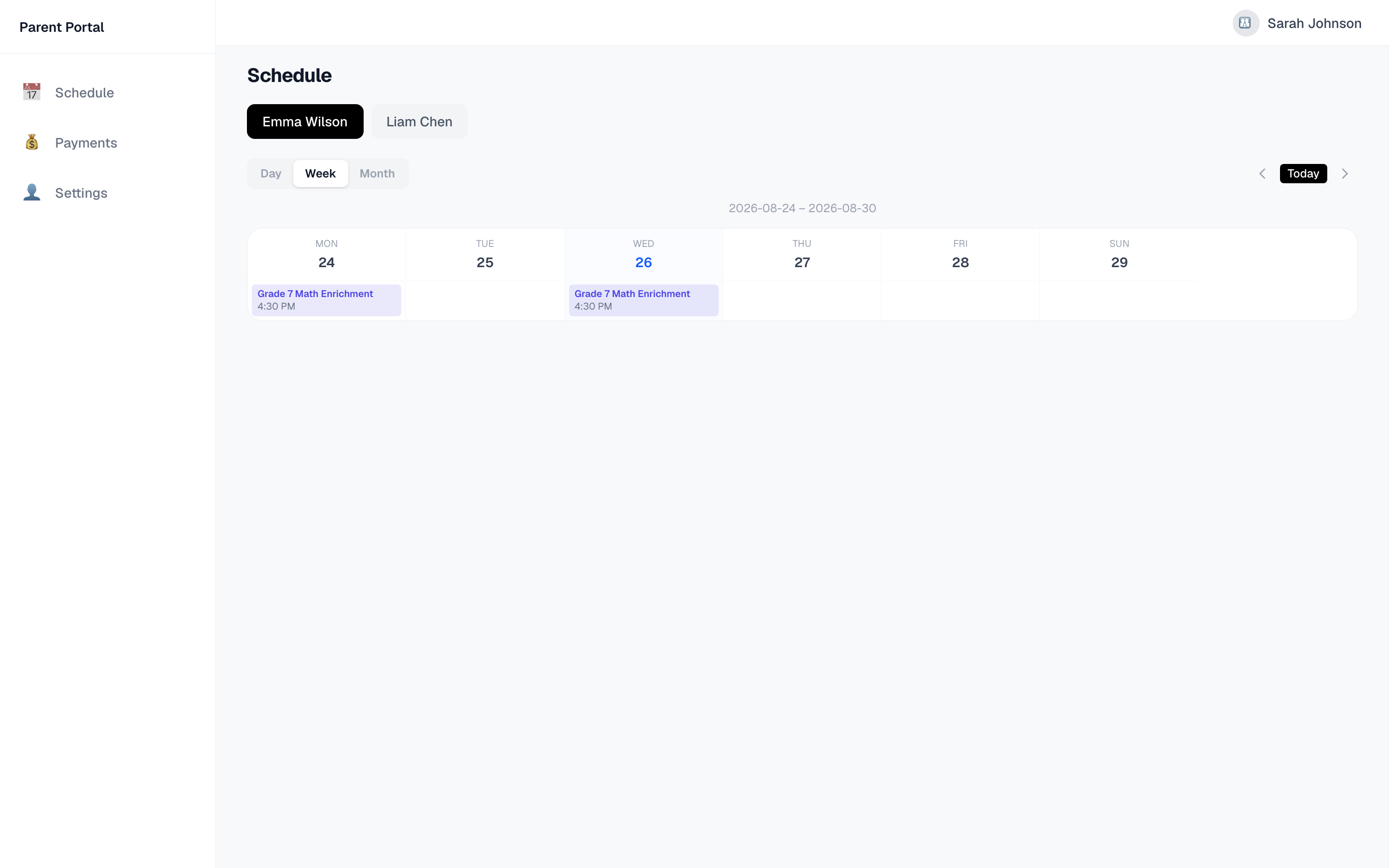
Open the Schedule tab: week view by default, switchable to day/month. Tap a session for details (time, room, teacher). Switch between children easily.
Paying online
- Open the Payments tab and review due bills
- Tap Pay Online → secure Stripe page
- Enter card details — the bill is marked paid automatically
e-Transfer / Cash
Choose e-Transfer or cash, tap Confirm Payment → the teacher verifies and marks it paid.
Profile
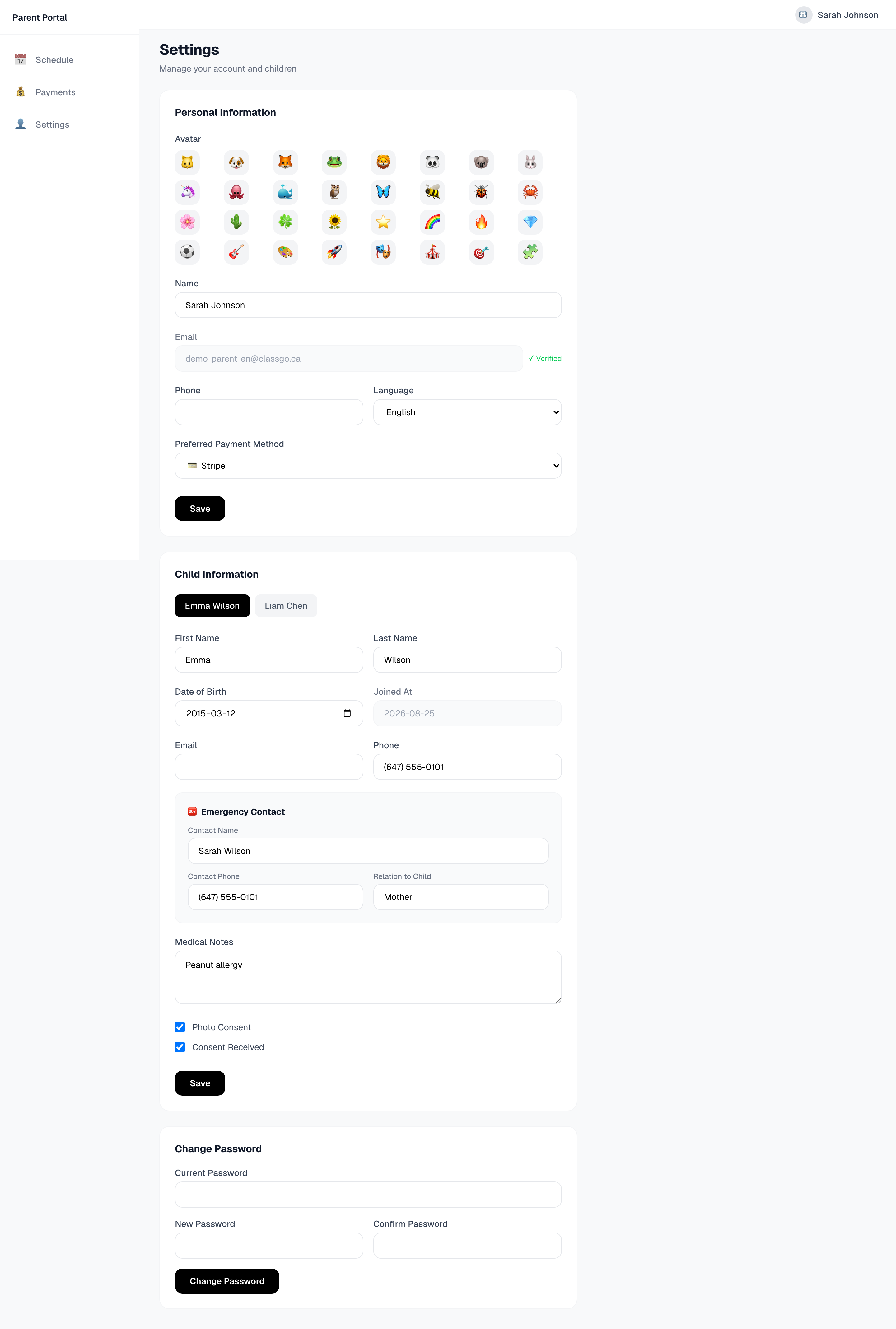
The Settings tab lets you update personal info, your child's details (DOB, emergency contact, medical notes, photo consent), preferred payment method and language.
FAQ
Q: Not receiving schedule notifications? A: Check your notification settings, and confirm the studio has email/SMS notifications enabled.
Q: Online payment failed? A: Check card details, balance and billing address. You can also use e-Transfer or cash instead.